Help Center › Distributors
Sales officers and booked orders
Sales officers book orders on their phone, even without signal. The office turns the orders into bills.
The officer's phone app
- Owner: add the officer in Sales team. Then in Staff & Roles add a login with the role sales officer (phone) and pick that officer.
- The officer opens app.sundarvahi.com/officer in Chrome, signs in, and adds it to the home screen.
- The app shows today's shops with their balances. The officer books orders in cartons, boxes and pieces, notes "no order" reasons, and collects cash. Orders wait on the phone and go by themselves when there is signal.
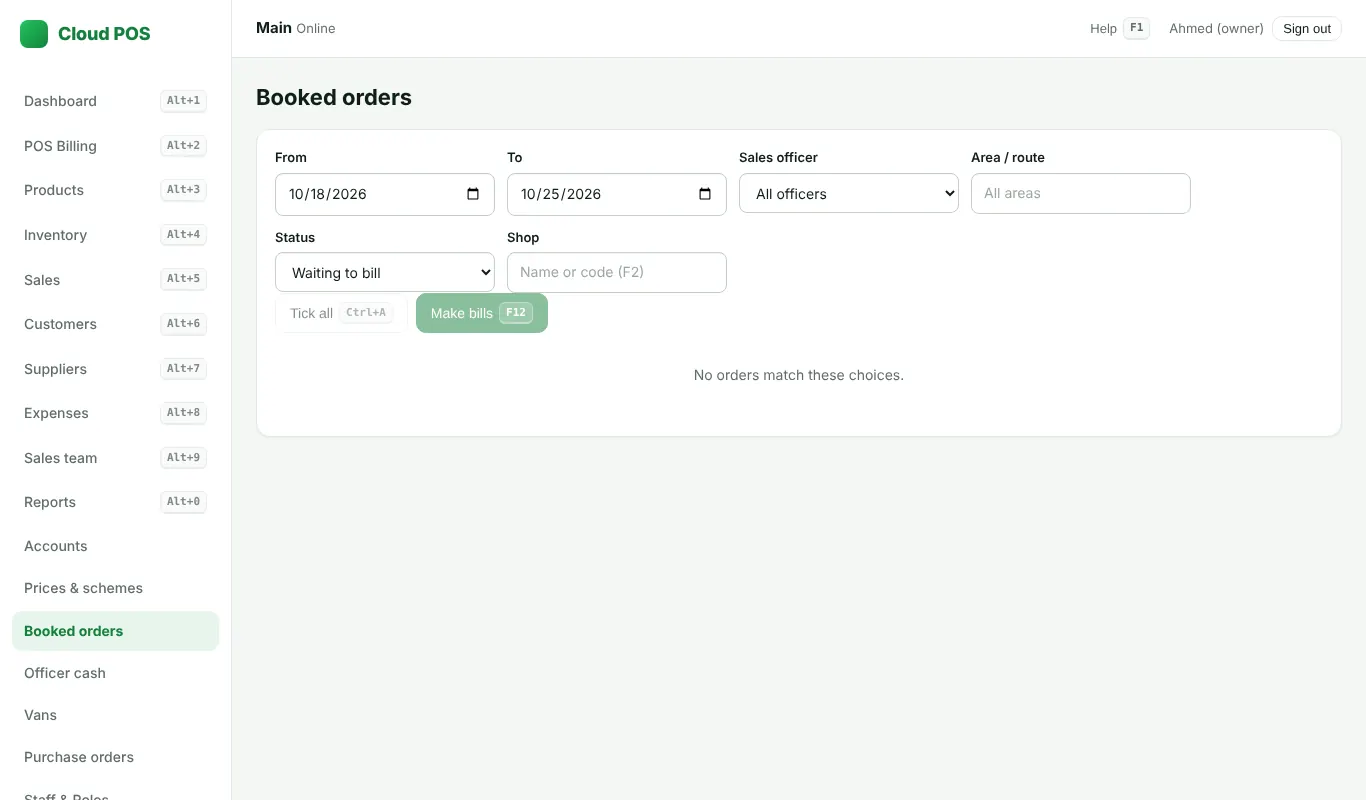
In the office
- Open Booked orders. Filter by date, officer, area or shop (F2).
- Tick the orders (Ctrl + A ticks all waiting orders).
- Press F12 to make the bills. Prices and schemes are worked out again on the server.
Still stuck? Ask us on WhatsApp: we reply quickly.
Updated 25 October 2026